Virtual Concierge - Intruder Detection with AWS DeepLens
Introduction
Virtual Concierge is an office assistant written to help detect intruders that enter the Mechanical Rock office.
Architecture
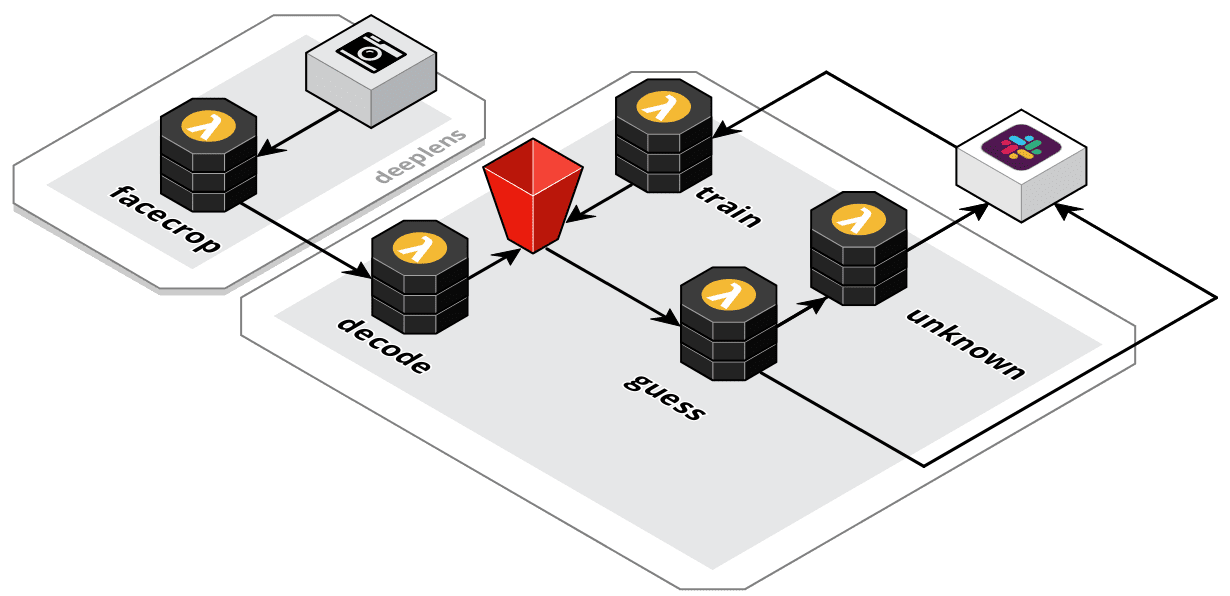
Seen above is the high level architecture implemented in virtual-concierge. Each component handles a different stage in the intruder detection processing stream.
Source Code
The full source code for the project is available on our GitHub at MechanicalRock/virtual-concierge.
Note: Guess what! You don't need a DeepLens in order to follow along with this tutorial 😍. If you have another device (lets say a Raspberry Pi 3 for example), as long as you're able to load AWS IoT Greengrass, onto it, you'll be able to re-use the code in this repo.
😃 facecrop
Receives the incoming video feed from the DeepLens camera, then makes use of the Amazon single shot detector (SSD) for recognising facial characteristics.
Upon successful detection the face area is cropped out of the video feed and send over the DeepLens AWS IoT topic for the next stage of processing.
🔍 decode
Decode is responsible for receiving the base64 encoded face image from the DeepLens IoT topic. It makes use of an AWS IoT Topic Rule as an event trigger and takes the decoded image and places it into an S3 bucket in the /incoming folder.
🔮 guess
Guess is triggered when a new image lands in the incoming/ folder of the S3 bucket. Its role is to perform an inference with Amazon Rekognition on the supplied face image.
client = boto3.client('rekognition')
...
resp = client.search_faces_by_image(
    CollectionId=rekognition_collection_id, # Collection ID (more on this later)
    Image=image, # Image object from S3
    MaxFaces=1, # Single face provided in image
    FaceMatchThreshold=70) # Match threshold, sweet spot based on some tweaking.
At this point the process flow can go one of two ways.
-
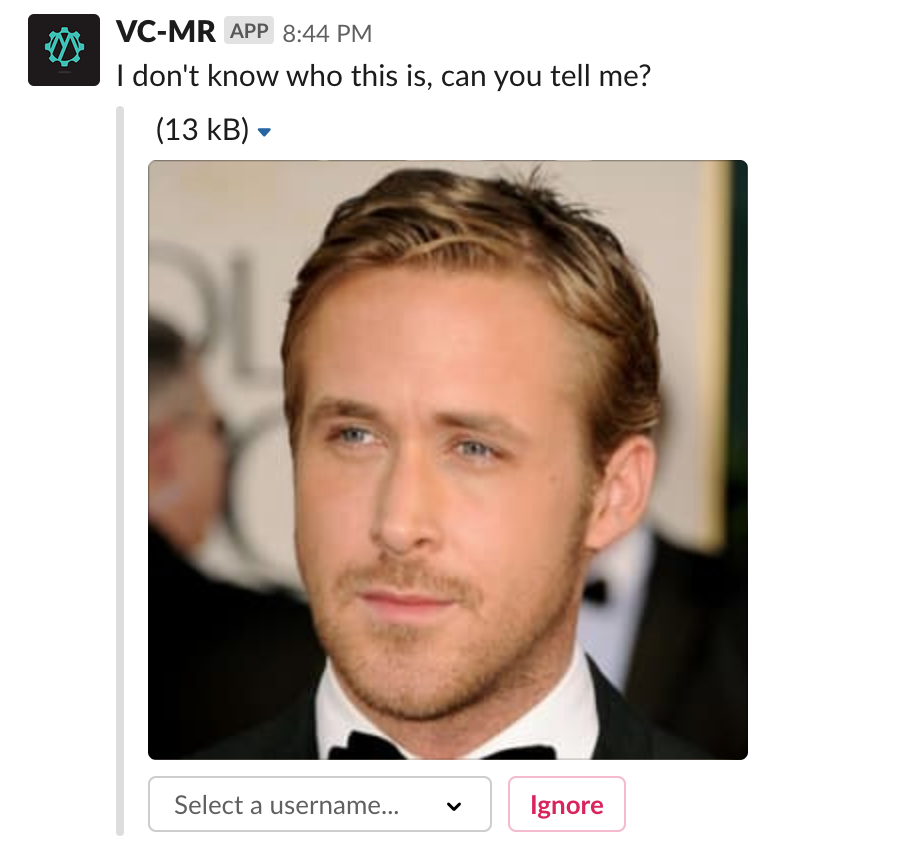
If the person in the image IS NOT detected, then a message is delivered to slack prompting members of the team to tag a new face.
This interaction happens by another Lambda called unknown that retrieves the image from the
unknown/directory of the S3 bucket. This interaction is also faciliated via S3 events.The input asks for a Slack username so that an identity within chat can be tagged later on when the user is seen again.
 ">
"> -
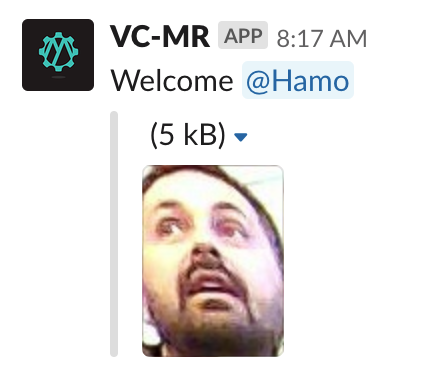
If the person in the image is detected, then a message is delivered to slack notifying the office that their colleague has entered the building. The bot also tags the user into the message, so that if it isn't actually them they can quickly warn the team of the imposter.
🥋 train
Train is responsible for completing the feedback loop based on the users selection from Slack.
-
If the user clicks
ignore, the image is removed from the S3 bucket and not assigned to any identities. -
If the user selects a Slack identity however, the image is fed back into Amazon Rekognition for future inferences.
client = boto3.client('rekognition')
...
resp = client.index_faces(
    CollectionId=rekognition_collection_id,
    Image={
        'S3Object': {
            'Bucket': bucket_name,
            'Name': key,
        }
    },
    ExternalImageId=user_id,
    DetectionAttributes=['DEFAULT']
)
Deploy Your Own
If you'd like to deploy your own version, I recommend familiarzing yourself with the following technologies:
- Serverless Framework - Used for the majority of the lambdas in the project. The configuration for deployment can be found in the serverless.yaml file.
- AWS Serverless Application Model - Used for the DeepLens Greengrass code due to a small limitation around packaging up subfolders within one monorepo.
- AWS CLI - Ensure that your AWS CLI is setup and configured with your account credentials.
- DeepLens Setup - If you do end up using a DeepLens, run through the setup guide.
Once you've familiarized yourself, head on over to the MechanicalRock/virtual-concierge repository and checkout the README for detailed instruction.
If you're interested in the possibilities of deploying AWS IoT Greengrass or Serverless workflows get in touch!
And we're hiring!
Attribution
Implementation of the guess, unknown & train code was based on the work by Sander van de Graaf in his project Doorman.