Databricks Genie One Opens the doors for business users
A deep dive into Databricks Genie One (formerly known as Databricks One)
For a long time, a data platform was just a carrier of data for the visualisation platform. Ingest the data, push it through the medallion architecture and your end users will query and visualise it through their tool of choice (usually PowerBI).
Under no circumstances would you want to give your non technical users access to your data platform. Can you imagine the damage they could do? All those tabs, buttons and options.
Data platforms haven't really made it usable for non technical users either. Yes, Snowflake had dashboards, but they had no version control and their sharing model wasn't great. Now they have Streamlit, which solves some of this, but introduces a requirement for some coding ability - it's no longer a drag and drop tool.
But wait… there's something new, something different. Databricks Genie One!
What is Databricks Genie One?
The regular Databricks workspace (the Lakehouse) is not for business users. It's too cluttered, too technical, and too much. Tabs everywhere, notebooks, clusters, settings - none of that belongs in front of someone who just wants to look at a dashboard or ask a question about the data.
Genie One is Databricks' answer to that. It's a separate, consumer-grade experience where business users can access AI/BI dashboards, chat with Genie, and use Databricks Apps - without ever seeing the standard workspace. Think of it as a curated front door: just the content they need, none of the machinery behind it.
Onboarding is straightforward: built-in consumer entitlements, seamless identity integration, and just-in-time provisioning mean you're not managing access manually for every new user. And because it's all built on Unity Catalog, the governance story doesn't change - the same access controls, audit logs, and data policies apply whether someone is logging in through Genie One or the full workspace.
It's also smarter than a simple portal. AI surfaces the most relevant content so users land on the right dashboard rather than hunting through a list. When they want to go deeper, Genie is right there. When they need to take action, Databricks Apps are right here alongside their analytics. Everything in one place, without the technical overhead.
Dashboards vs Genie - when to use which?
A dashboard answers the questions you anticipated. Genie answers the ones you didn't.
A good dashboard covers a lot - but you can only anticipate a fraction of what users will actually ask. Genie fills that gap. The two work together: a user might start on a dashboard, spot something interesting, and ask Genie to dig deeper - without leaving the page or losing context.
How Genie takes dashboards to the next level
Not just text-to-SQL - Genie uses an ensemble of AI agents working together - planning how to answer the question, generating SQL, visualising results, explaining the answer. It learns from Unity Catalog metadata, existing queries in dashboards and notebooks, and user feedback over time. The more you use it, the sharper it gets.
The Genie Ontology - what powers this intelligence is a continuously-learned model of your business that sits underneath everything. It understands your terms, your data relationships, your metrics, and who's allowed to see what. That's what makes Genie feel like it understands your business rather than just querying a database.
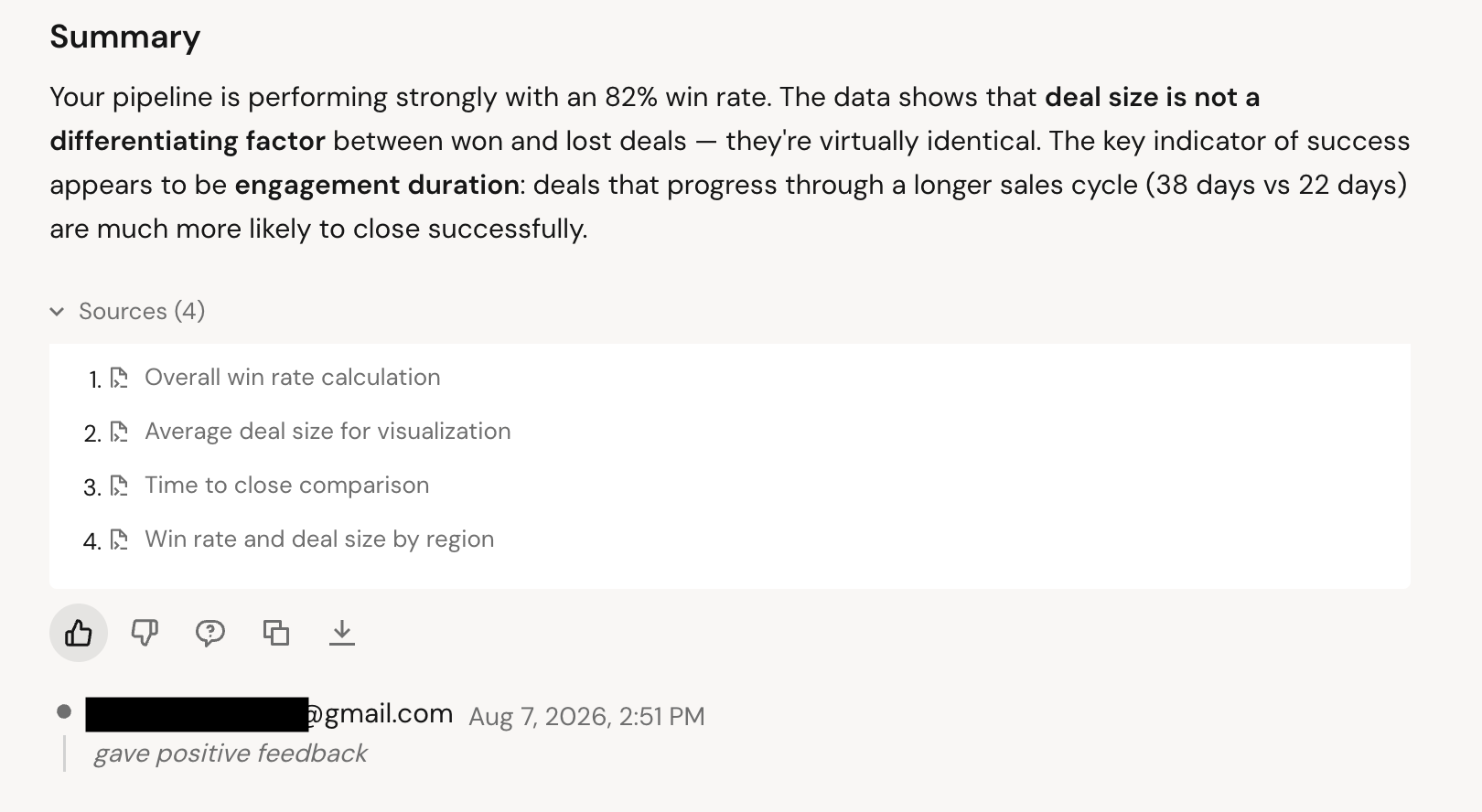
Transparent by design - when Genie answers a question, it surfaces the sources it used to get there. You can see exactly what data it reached for, which builds trust in a way that a black-box answer never would.
Getting started
I'll be using Databricks Free Edition for this so some features may be limited. Anyone can sign up with a non-corporate email address and there's no need to provide any card details.
For sample data and analytics, I'll be pulling from the dbdemos repo - a great collection of Databricks demo resources.
Installation is super simple, in a notebook run:
# to install demos
%pip install dbdemos

# to list available dbdemos
import dbdemos
dbdemos.help()
dbdemos.list_demos()

# to install specific demo
dbdemos.install('aibi-sales-pipeline-review', catalog='main', schema='dbdemos_aibi_sales_pipeline_review')
There are quite a few demos to choose from - some of them might even be similar to your use cases - great resource if you're building your own dashboards:
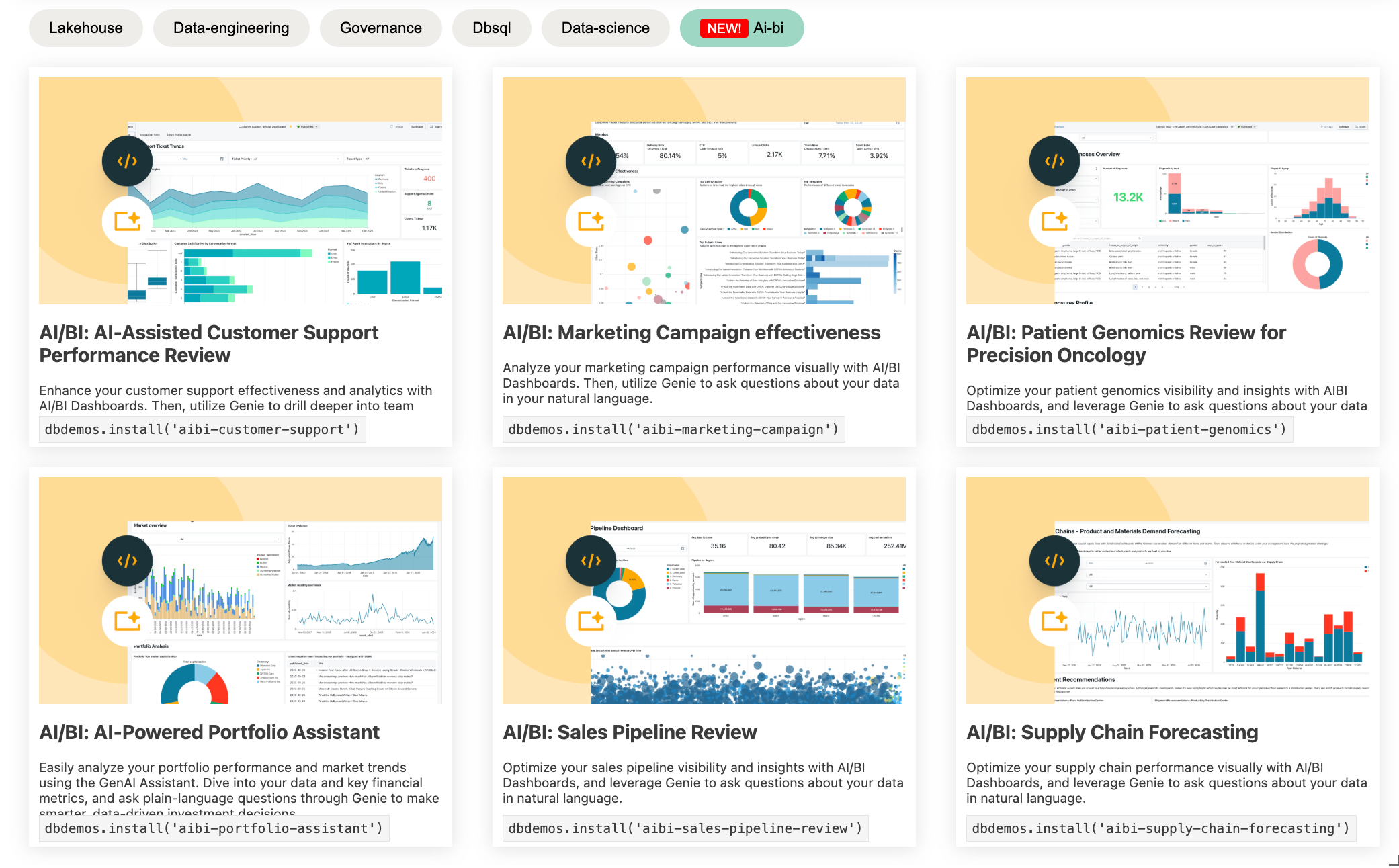
For my purposes, I decided to give AI/BI: Sales Pipeline Review a go.
Permissions and users
Ideally, you'd create a dedicated business_users group with Consumer access only, and assign new users to that group exclusively. That keeps things clean and explicit.
In practice, Free Edition gets in the way. Without full account-level control over groups, you can't remove users from the default users group - so any new user will always inherit those permissions. The workaround: restrict the default users group to Consumer access only, then create more permissive child groups for engineers and analysts who need full Lakehouse access. Not the cleanest setup, but it worked for testing access controls.
One more thing to remember: permissions alone aren't enough. Business users also need at least Can View on each dashboard and Genie Agent they should access, Dashboard also need to be Published first - content won't surface in Genie One until it's explicitly shared with them and published.
What does the business user see?
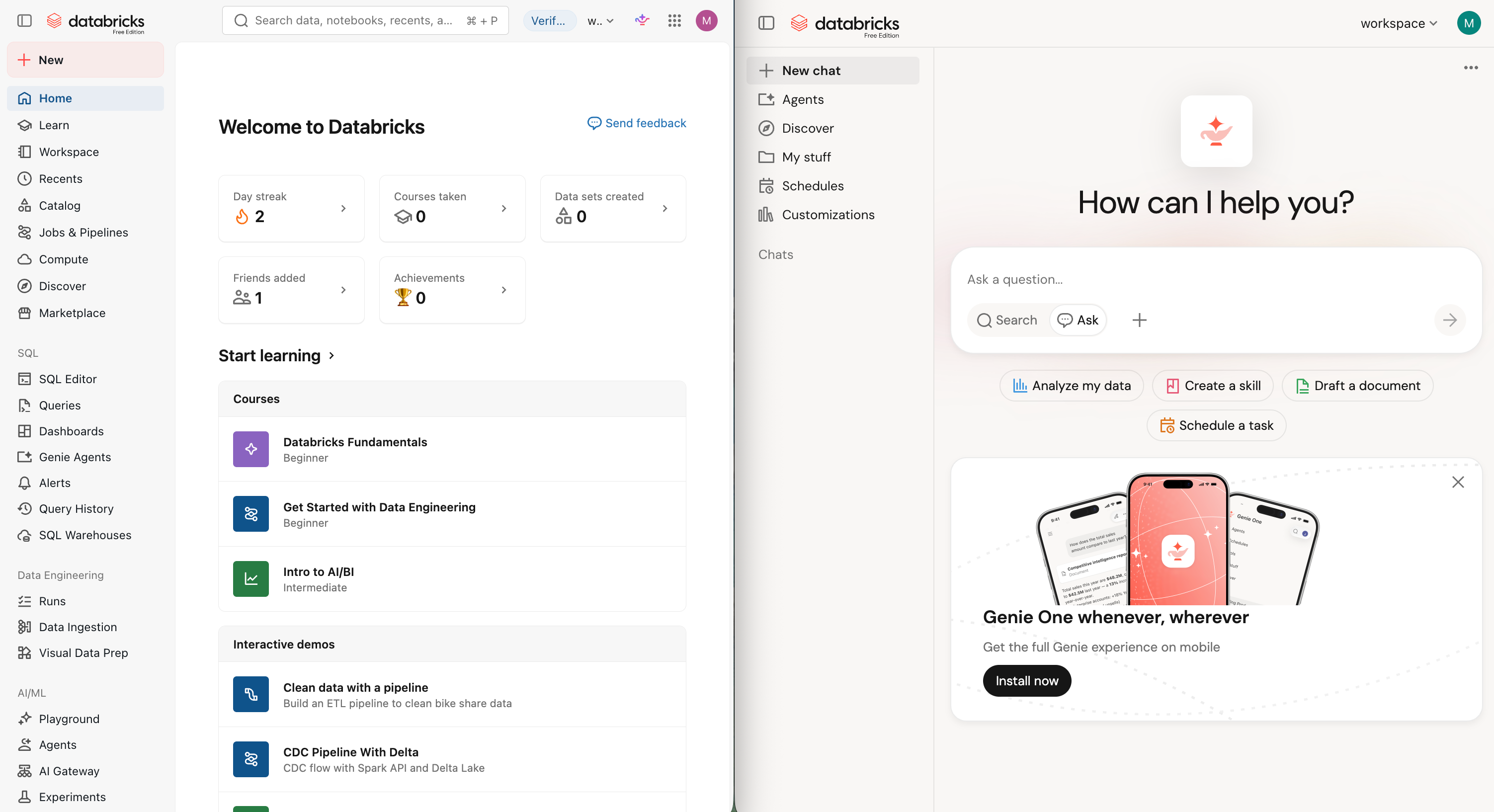
Once your business user logs in, all they will be able to see it Genie One. Below is the view by regular user on the left, and user with Consumer access only on the right.
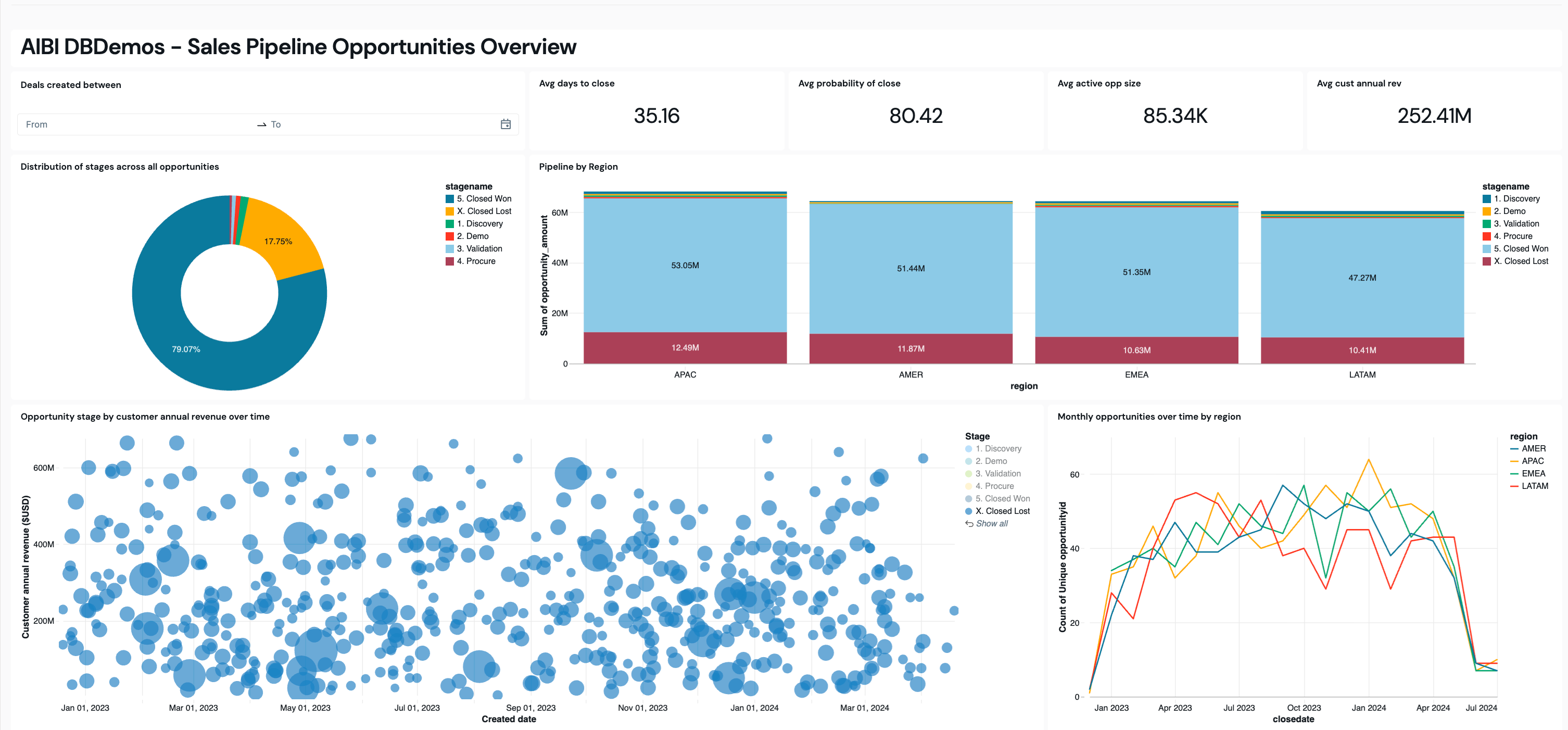
The dashboard experience is clean and immediately usable. Tabs keep things organised across multiple views, and the whole thing is interactive - clicking on a chart element filters everything else on the page in real time. No configuration needed, no extra steps. Some dashboard examples below:
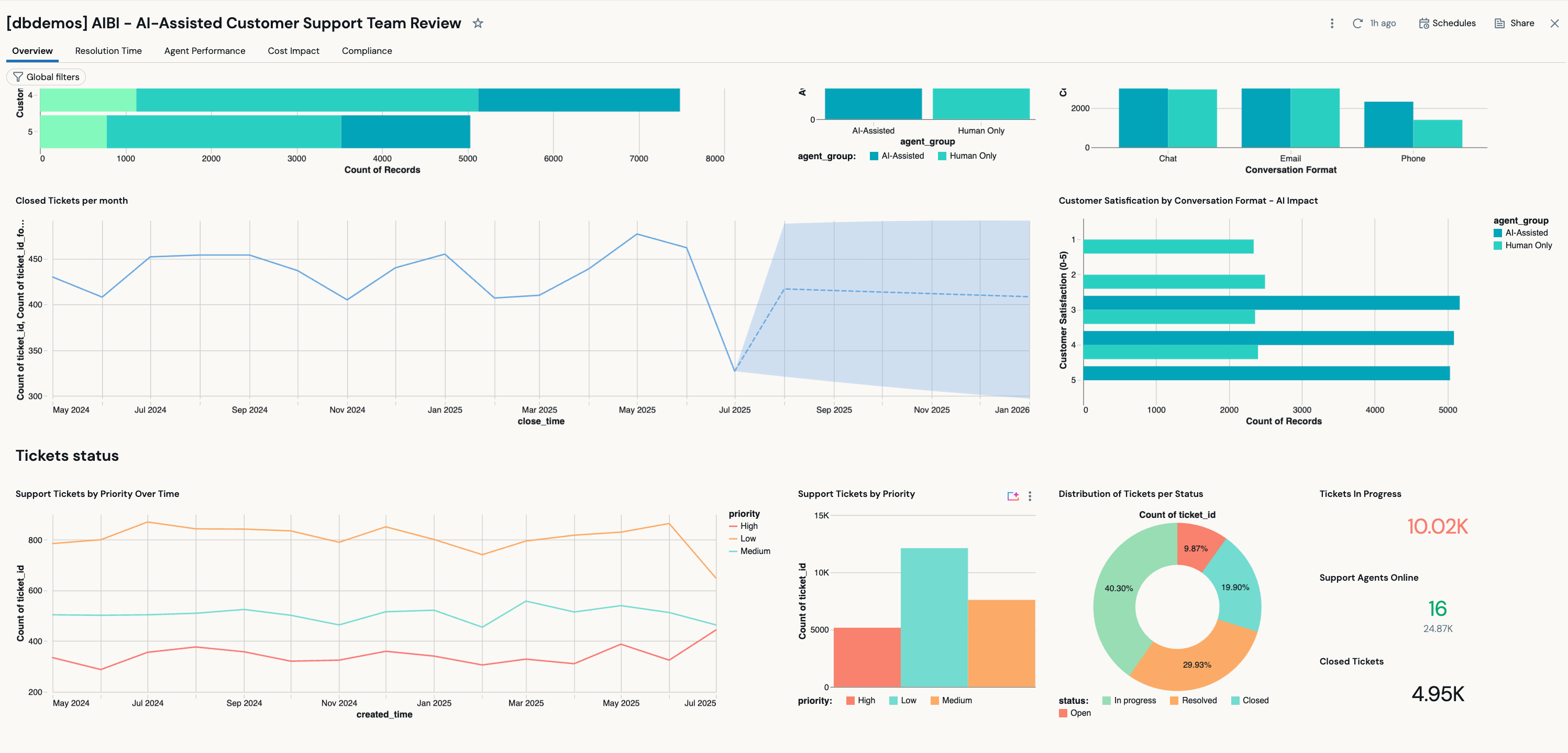
Asking Genie questions
But this is where the true value comes in - finding out more - getting to the root of the data. Genie is accessible from anywhere, from the main page, individual widgets, the dashboard page or Genie Agents. Depending on where you are asking the questions from, different context might be used. Genie Agents are like your domain experts, trained on specific subsets of data, often linked to a specific dashboard.
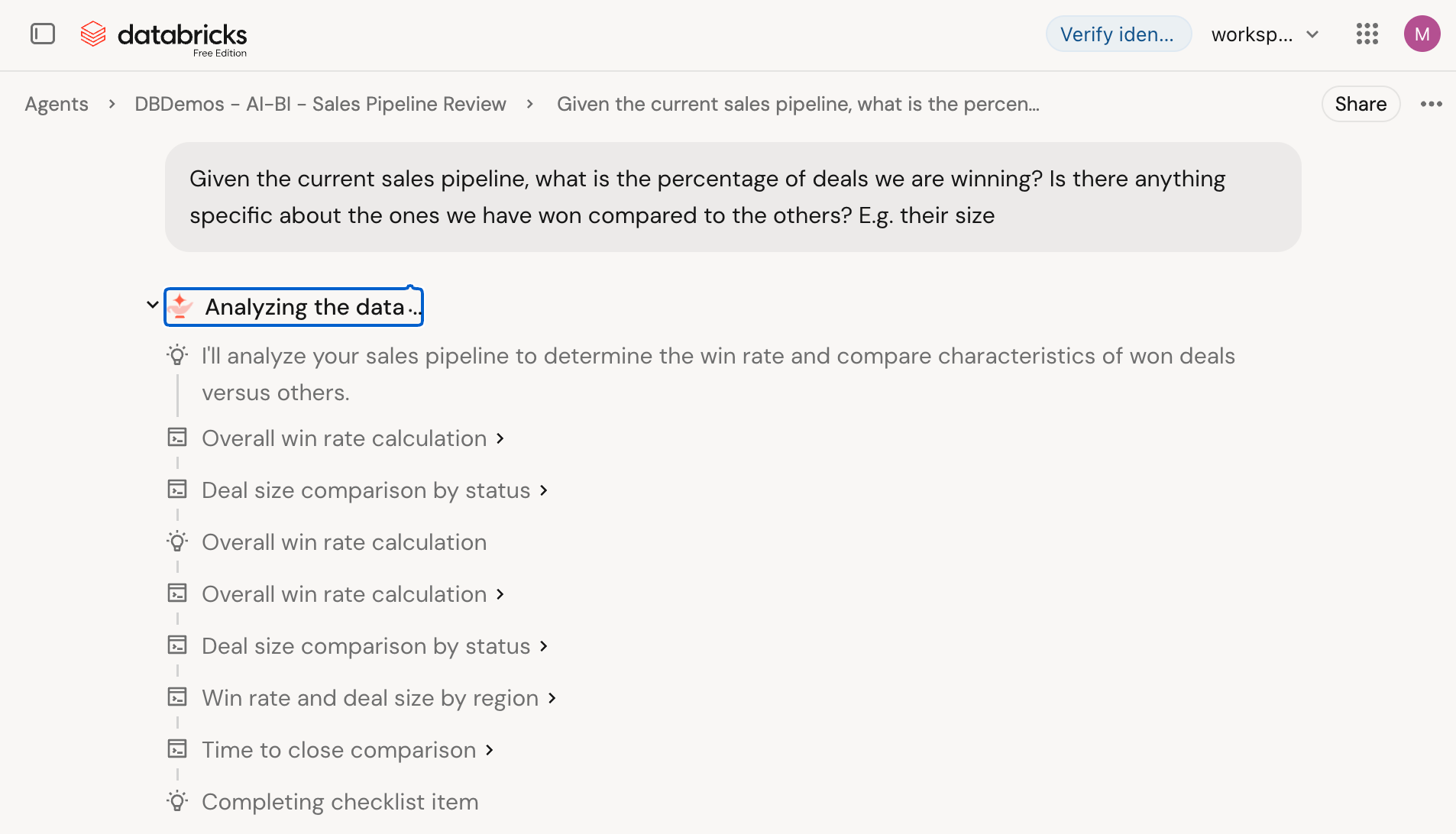
Conversing with Genie is very similar to other chat interfaces, with the exception of Genie having additional context of your data and your organisation. You can also clearly see the steps Genie is going through to work out the answer.
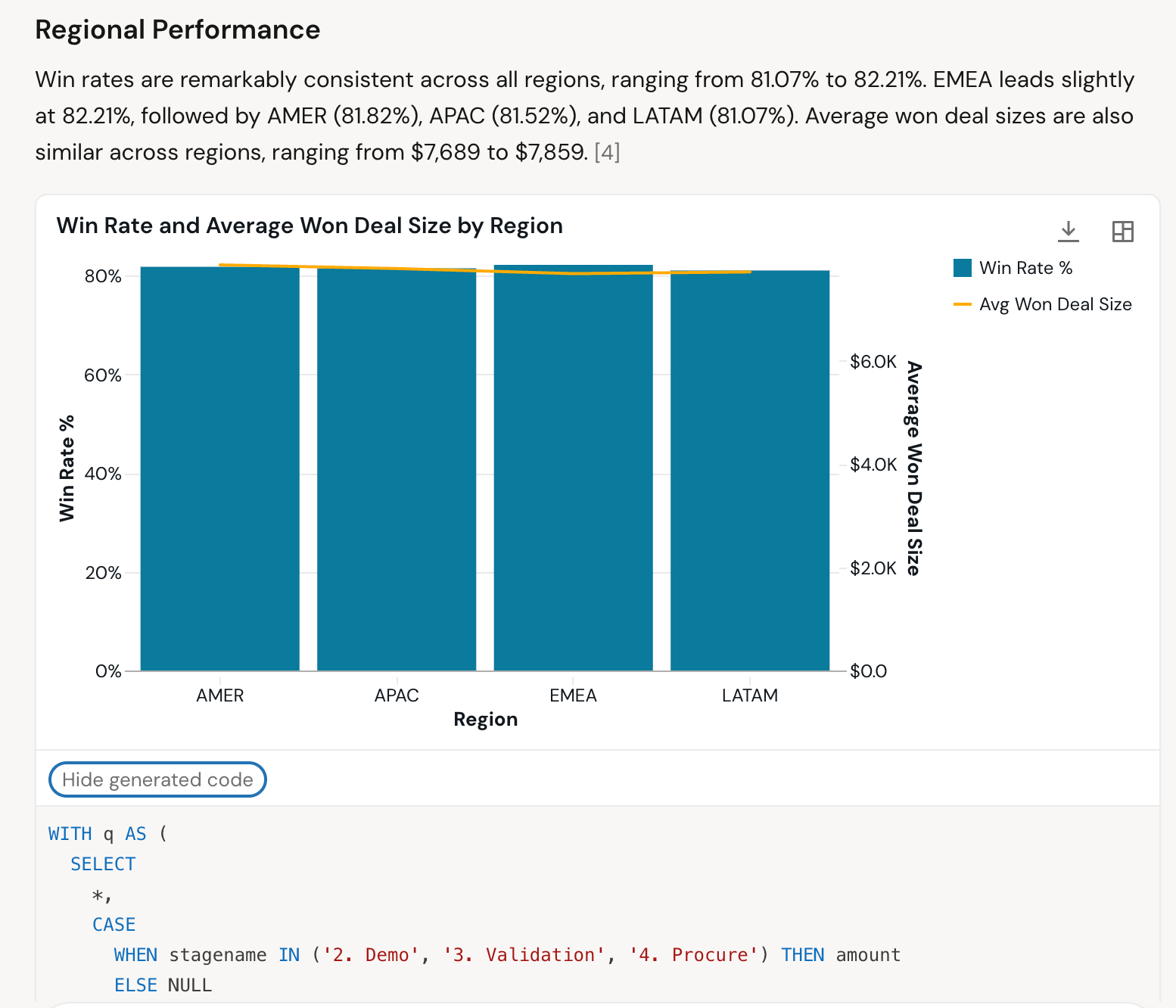
Genie will often produce graphs and you can view the source code of the queries it used to provide the answers.
You can also view all the sources used for the response and provide feedback on the response usefuleness and accuracy.
The honest caveat - the quality of Genie's answers depends heavily on the quality of what sits underneath. Point it at a clean, well-modelled domain - good column comments, certified tables, Metric Views defined for your key business metrics - and it performs well. Point it at a sprawling, undocumented catalog and the experience is average at best. Teams getting the most out of it in production tend to start narrow: one domain, one team, tight scope. Then they scale out as they build confidence and refine the setup.
It's also worth setting up Benchmarks - known-good questions with verified SQL - so you can measure accuracy over time and catch regressions as the data evolves. Encouraging users to give feedback (thumbs up/down on answers) feeds that loop and makes Genie sharper over time.
Deploying Genie
Creating a dashboard in the UI is fast and intuitive - drag, drop, prompt, done. But "share this dashboard" is not a deployment strategy, and that's where a lot of tools fall short.
Databricks takes a different approach. Once you're happy with a dashboard, you can export it as a .lvdash.json file - a declarative definition of everything in that dashboard. That file can be checked into git, reviewed like any other code change, and deployed via Declarative Automation Bundles (DABs). Genie Agents work the same way. Both are first-class citizens in the DABs ecosystem.
In practice, this means you can build in the UI, export, commit, and promote through environments - dev to staging to prod - with a proper CI/CD pipeline behind it. The dashboard your business users see in production is the exact same artefact that was reviewed and tested in lower environments. No manual recreation, no drift.
Other notable features
-
Scheduling - business users can subscribe to a dashboard and have it delivered to their inbox on a schedule, no login required. The delivery is a static PDF snapshot - no interactivity - but that covers a surprising amount of real monitoring requirements. If your users just need to see the numbers at 9am on Monday, this handles it cleanly.
-
Mobile app - the Genie One mobile app is genuinely useful for getting quick answers on the go. Same governed data, same permissions, just in your pocket. Not a replacement for the full experience, but for a sales manager who wants to check a number before a meeting, it does the job. Genie is also available in Slack and Teams for the same reason - meet users where they already are.
-
MCP integration - there's a Model Context Protocol (MCP) server for Genie, so developers can wire it into AI coding tools like Claude or Cursor. Niche, but it signals how Databricks is thinking about Genie - as a platform, not just a UI.
-
Databricks Apps - custom apps sit alongside dashboards and Genie in the Genie One UI, letting teams build interactive experiences on top of the same governed data. A business user could move from a dashboard to a Genie conversation to a full app without ever leaving Genie One.
What makes Genie One stand out?
Genie One is the most credible attempt yet at making a data platform genuinely usable for business users - not just technically possible, but actually approachable. The combination of governed access, AI-surfaced content, conversational data exploration, and a proper deployment story puts it ahead of where most BI tools sit today.
But it's not magic. The teams getting real value from it in production have invested in their data foundations first - clean models, defined metrics, curated spaces. Genie amplifies good data work; it doesn't paper over bad data. If your catalog is a mess, your business users will get confident-sounding wrong answers, which is worse than no answer at all.
The right way to think about it: Genie One is the front door. What you put behind it still matters.
Here at Mechanical Rock, we work with Databricks on real client engagements. If you're thinking about putting data in front of your business users - or you're already on Databricks and want to make more of it - let's have a chat.