Taking Snowflake CoCo CLI for a spin
Snowflake has just released the Snowflake CoCo CLI - a native AI coding agent that claims to understand Snowflake’s data, compute, governance and operational semantics.
Until now, AI tools haven’t been particularly helpful for developing on Snowflake. When I asked ChatGPT for Snowflake queries, it often produced syntax that doesn’t exist in Snowflake. If anyone asked, I would have said: don’t use AI for Snowflake help.
So, is Snowflake CoCo CLI any better? Let’s find out.
We have a Snowflake Sandbox account that I’ve been meaning to clean up - removing roles, warehouses, and databases that are no longer needed. This seems like a great opportunity to automate the process, so that’s what I’ll focus on here.
Let's set it up
Installation is easy
curl -LsS https://ai.snowflake.com/static/cc-scripts/install.sh | shOnce installed, type codex into the terminal and go through the CLI guide to set up your preferences, connection etc. Very similar to other coding CLI agents. In fact - it looks VERY similar to Claude Code...
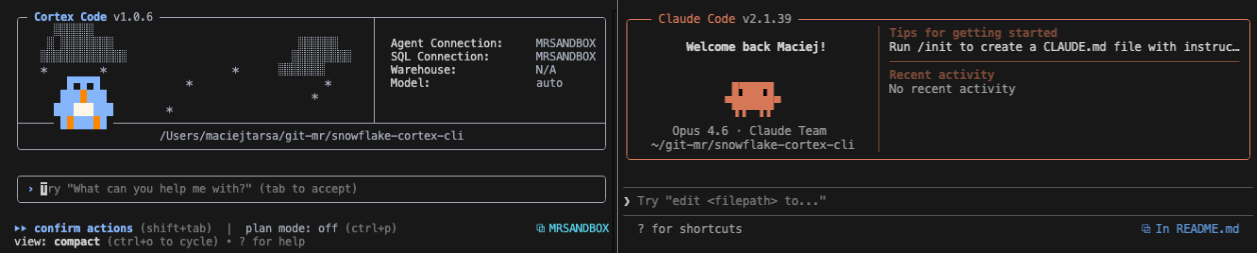
This is where I came across the first issue - it's been a while since anyone used our Snowflake Sandbox account, hence there were a few things to enable on the account level.
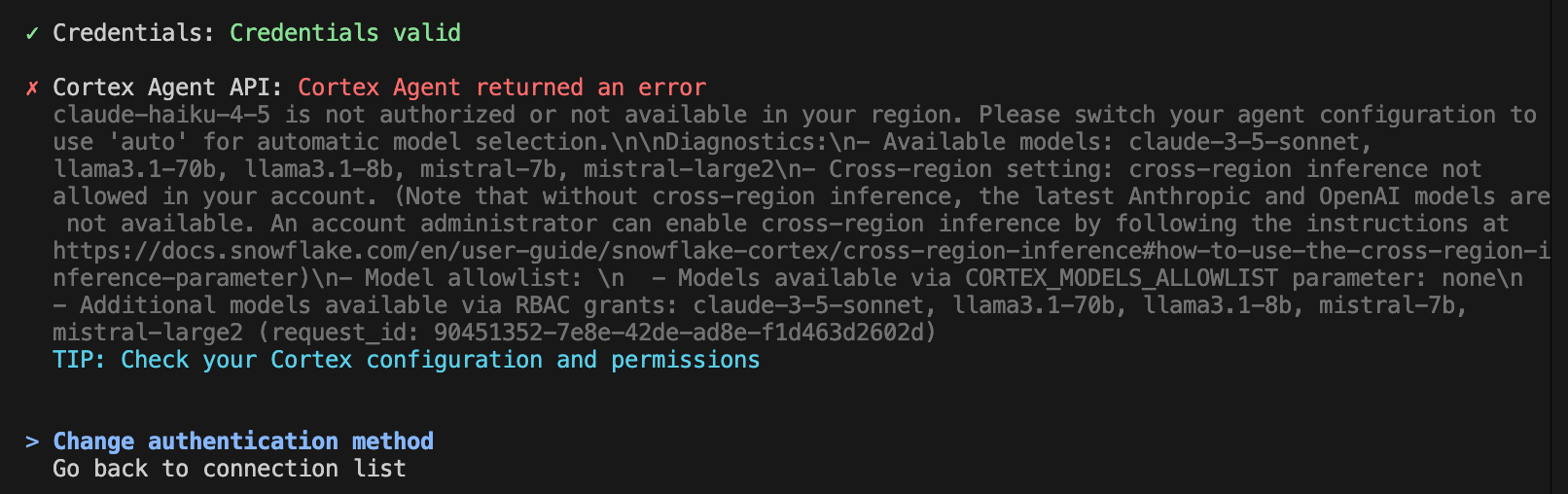
So let's run some commands in Snowflake to allow models
ALTER ACCOUNT SET CORTEX_MODELS_ALLOWLIST = 'All';
-- the following command will take a few minutes to run
CALL SNOWFLAKE.MODELS.CORTEX_BASE_MODELS_REFRESH();
SHOW MODELS IN SNOWFLAKE.MODELS;
And because we're in Australia, we also need to enable cross region inference as the models we need are not currently available in Australia.
ALTER ACCOUNT SET CORTEX_ENABLED_CROSS_REGION = 'ANY_REGION';Once that is done, we should be able to use CoCo!
Plan
First, let's plan what to do. I am going to ask CoCo to:
I want to plan some tidy up in my account. I would like to clear roles, warehouse and databases that hasn't been used or accessed in the past 6 months. I would like you to generate a plan for each and list them for me, I want to approve the list of the items to be removed before any action is taken - as I may have reason to keep some of them.
Let's see how it goes. (Note: I redacted some of the details in the screenshots to protect the names of our clients and employees, past and present.)
A bit of a bumpy start at the beginning as no warehouse was selected
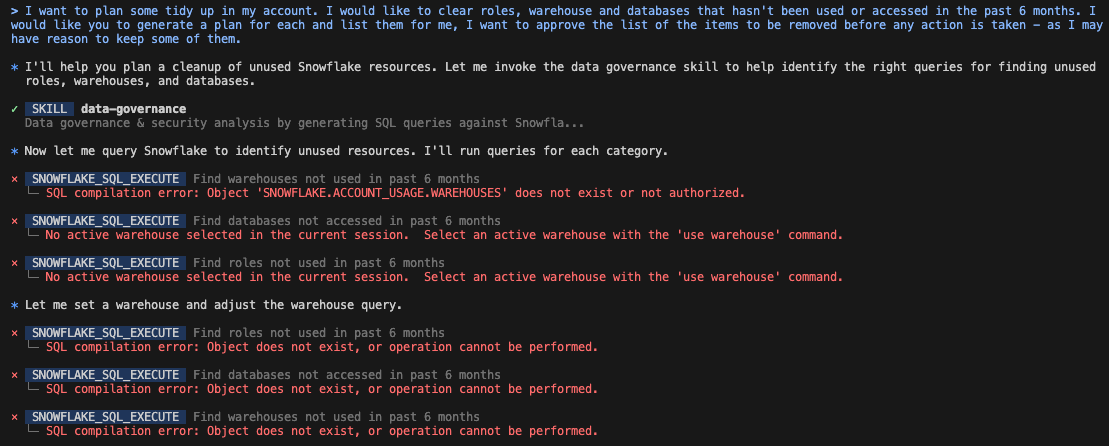
Despite this, the agent seems to be recovering and accessing the data I need
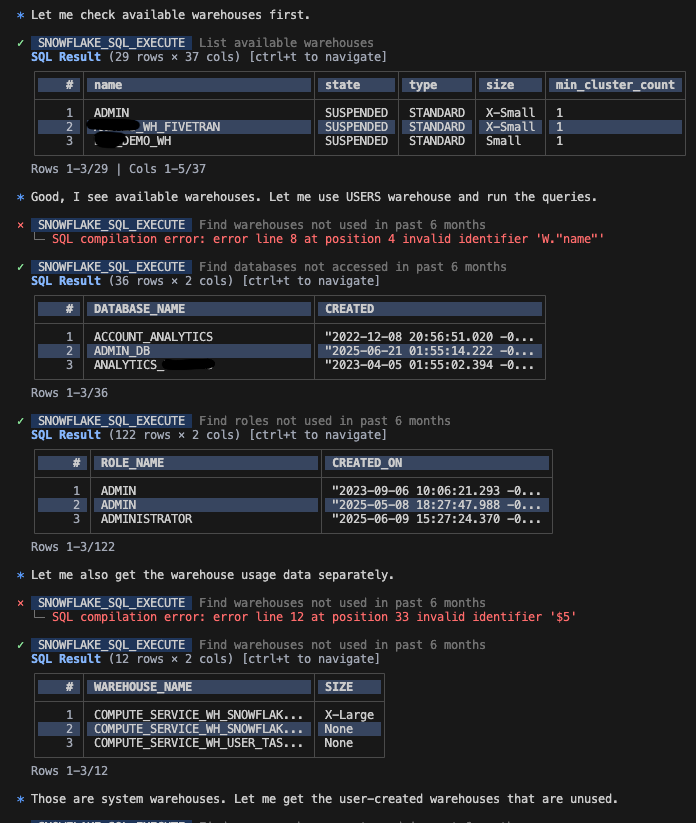
And at the end, I am getting a plan with separate sections for databases, warehouses and roles
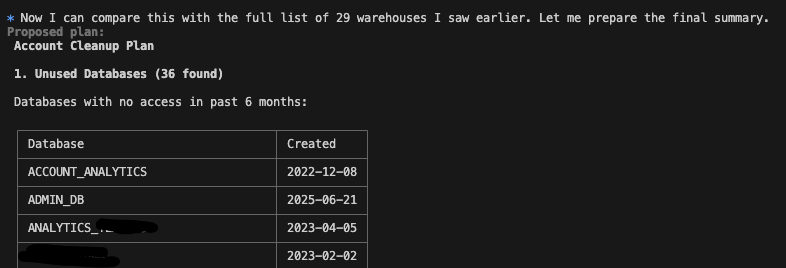
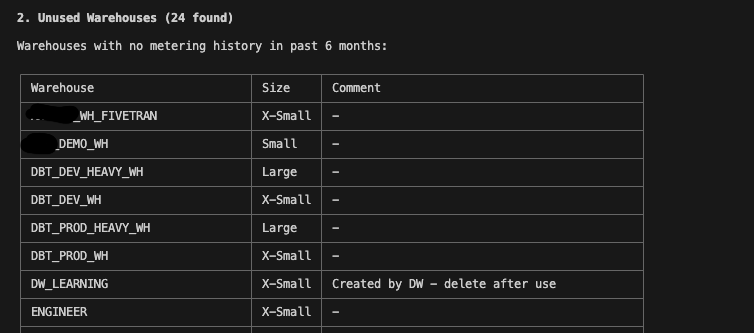
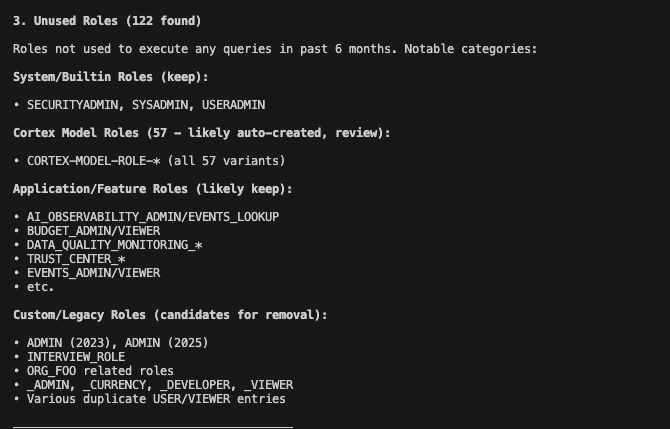
And an overall plan
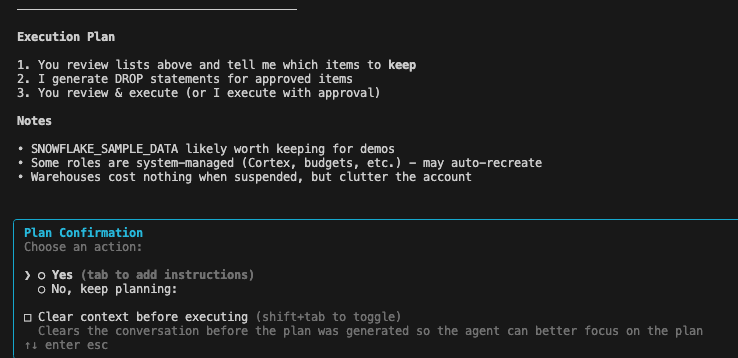
This is great. Let's say I don't want to make those changes now, let's save the lists to a .md file where I can review them and mark the ones I want to keep.
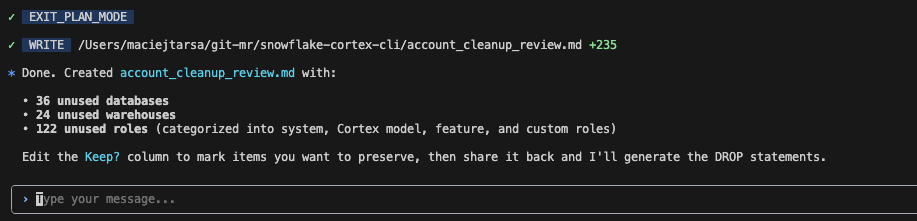
Plan execution
I want to simulate leaving the last session and starting again. I reviewed the list CoCo created, marked the items I want to keep and will now start a new session.
In the last session, I asked you to generate a list of warehouses, databases and roles to remove, based on when they were last used. I now marked the ones I want to keep and would like to proceed with their deletion. I want to do this in stages, starting with database, then warehouses and finally roles. Read file account_cleanup_review.md and generate the plan for deletion of databases.
The resulting plan
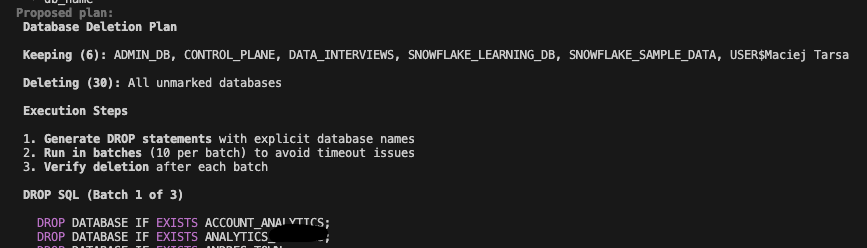
I was happy to go ahead and start the deletion process. At this stage CoCo double checked that I want to run the first SQL statement
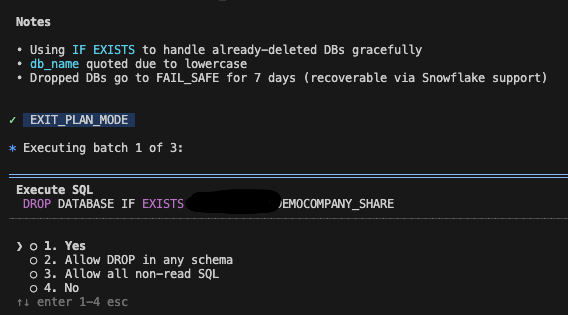
I was able to either confirm each statement or give it permission to run all the statements in that session.
Once done, I also get a confirmation
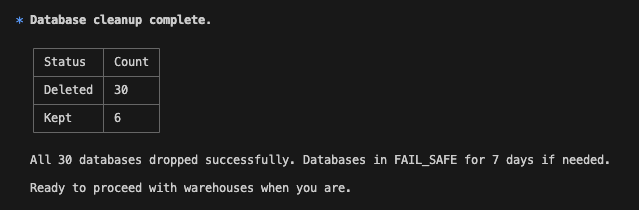
The same approach applied to warehouses and roles - no manual clicking, no repetitive SQL. What would normally take hours was finished in minutes. For recurring tasks like this, save the prompt and reuse it with Codex going forward.
What else can CoCo to?
According to Snowflake - quite a lot, including:
- Finding data that has PII
- Showing lineage for a table
- Generating queries
- Explaining why queries are slow and suggesting optimisations
- Build Streamlit applications
- Create dbt projects
- Answer questions using semantic models
More information is available in Snowflake documentation
Let's test one of these, let's create a simple Streamlit app.
Streamnlit app
In plan mode, I prompted
Let's create a simple Streamlit app that will allow us to enter some data into Snowflake. Under DATA_INTERVIEWS database, I want you to create a new schema called CORTEX_TEST. I want to have a table there that will store customer preferences for receiving notifications (post/email/mobile) and I want a streamlit app that will have a form to enter new preferences. Plan this soltuion.
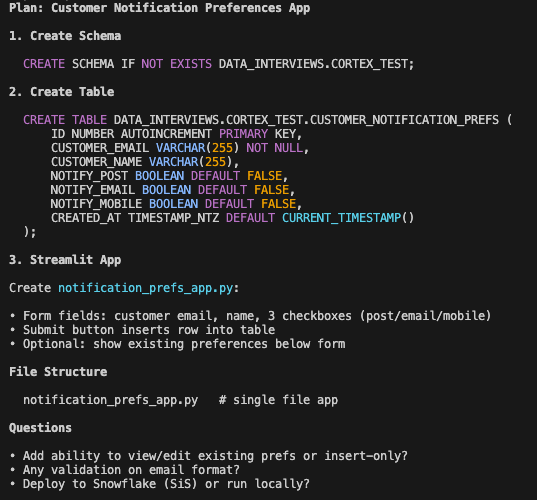
There were a few steps to confirm, so I took my time to see what was happening. I ran into some permission issues, but the agent quickly adapted by creating a STAGE and uploading the Streamlit files there. At one point, the agent tried to open a Snowflake window in my browser, but I was using the wrong Chrome profile. I had to stop the agent and restart the deployment. Once everything was sorted, I was able to see the new Streamlit app in my Snowflake account.
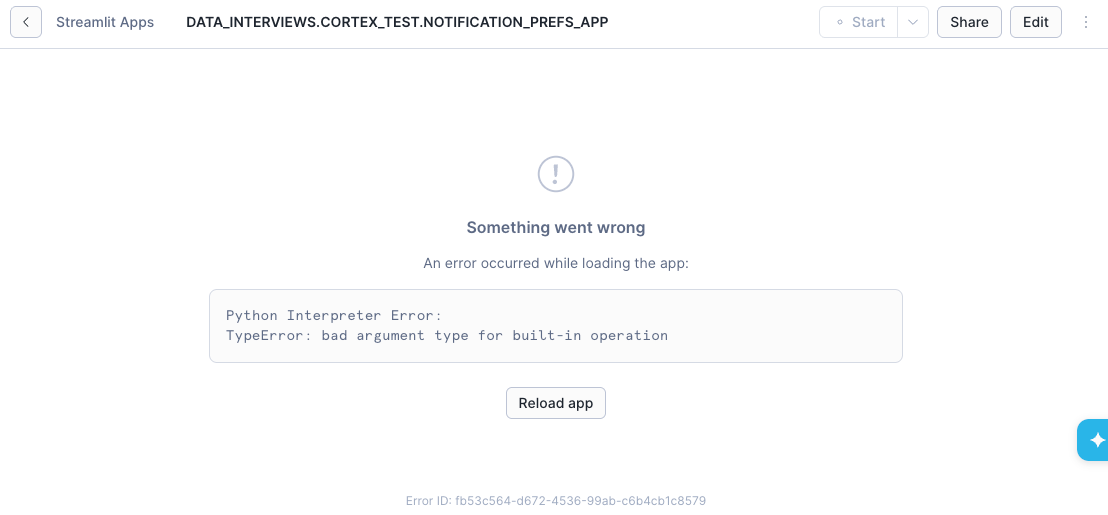
The app wasn’t quite what I expected at first, but hey, no big deal - I just grabbed a screenshot and showed it to the agent. It made some tweaks, which caused another error, then another fix, and so on.
After a few back-and-forths, I finally had a working Streamlit app. Maybe I should’ve tried running it locally first, but whatever - the app works!
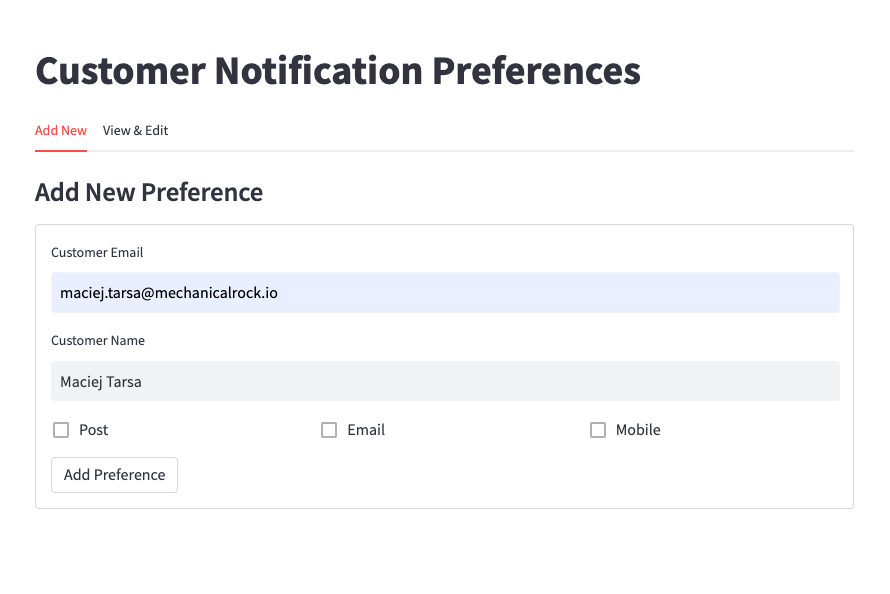
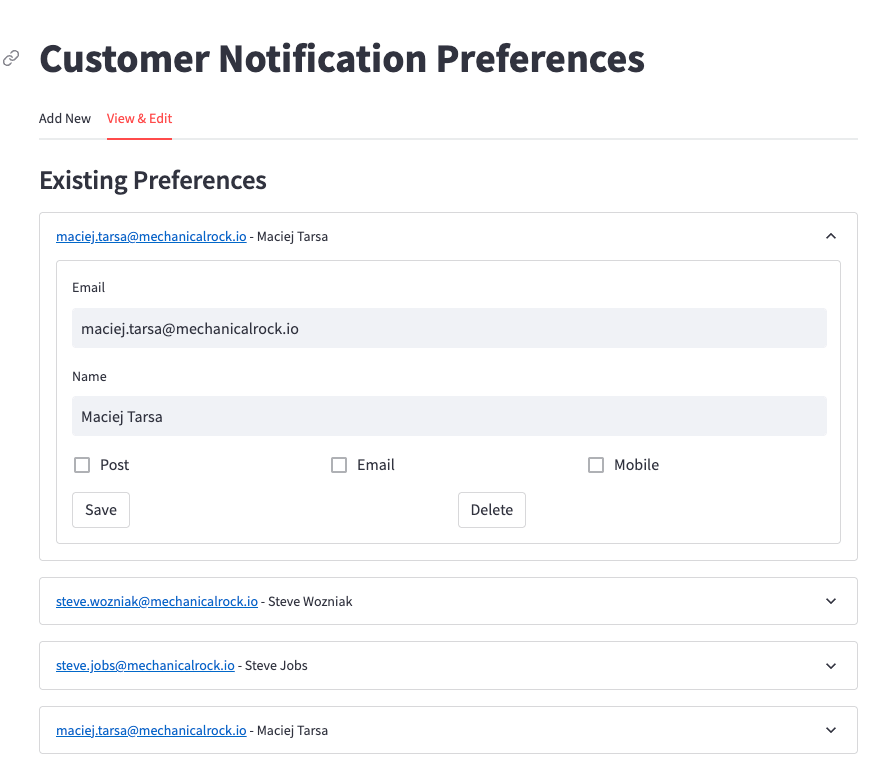
Sure - the app is not great - but it's a start. I also wanted it simple, hence why I skipped validation to begin with. It is also something I created and deployed within a few minutes.
CoCo even suggested how I should deploy this with best DevOps practices in mind
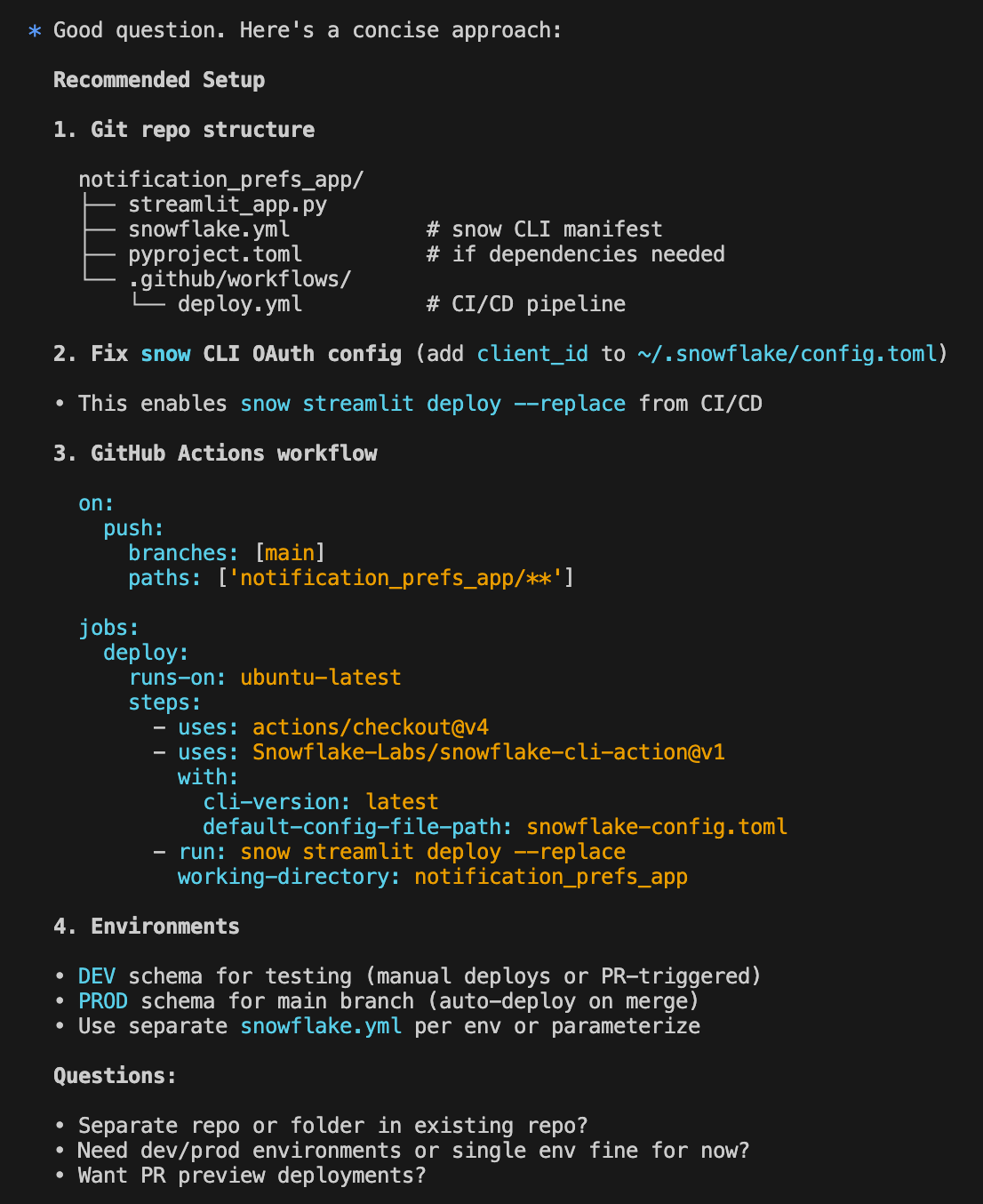
Of course at the end, I asked CoCo to delete everything it created in Snowflake for this demo - which it did easily.
Takeaways
If you’ve used tools like Claude Code before, Snowflake CoCo will feel very familiar. In fact, when asked about it CoCo admits that:
CoCo is built on Claude Code's foundation - same core architecture and interaction patterns. The main additions are Snowflake-native integrations: SQL execution, connections, stages, Streamlit deployment, Cortex AI functions, etc.
You'll notice the familiar tools (Read, Edit, Bash, Task agents) plus Snowflake-specific ones like snowflake_sql_execute and the #TABLE syntax for pulling schemas.
For Snowflake teams, an AI code assistant that understands your environment can be a game changer. CoCo won’t replace good engineering judgment - but it can dramatically amplify it.
Apply the usual AI caveats, review what it produces, and use it as leverage - not autopilot.
Here at Mechanical Rock, we don’t sit still. When new tools come out, we pick them up and try them out. If you have any use cases where Snowflake CoCo could help, or have some innovative idea you want to bring to life let us know.